

 in5 Account
 in5 Academy
This lesson will show you how to use your purchased license to activate in5 so that you can start publishing live content.
Expert contributors to this lesson

Justin Putney
Estimated time: 5 minutes
Today's Course Outline
- How to Activate in5
How to Activate in5
Once you've installed and tested the demo version of in5, you can take the next step and purchase a license.
When you make a purchase, you'll be given access to an online portal.
Inside your account portal, you can create a user with an email and passcode (and/or a serial number if you prefer.
If you've installed the demo, you don't need to install anything else, you can simply activate the demo version and make it a licensed version.
To activate, choose in5 > Info and Updates....
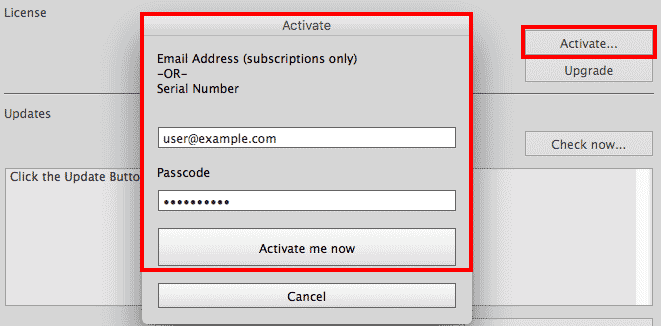
Click the Activate button.
Enter the email address and passcode (or serial number) that you created within your online account.
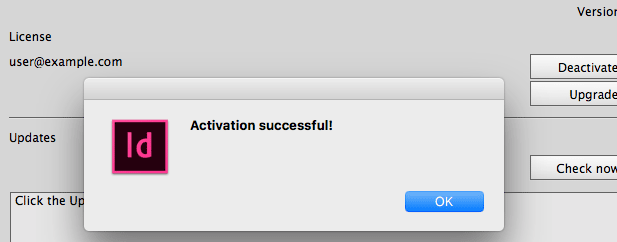
You're now ready to start publishing without restrictions or watermarks!
You can see these steps shown in the video below.
Take Aways
- Account access is provided after purchase.
- You can activate a previously installed demo version (no need to install anything else).
- Activation takes place in the Info section of the in5 dialog.
Try it on your own layout
The free in5 demo exports your InDesign document to HTML5 so you can see every lesson working in a browser.